Sessions & Auth
ChooseBrowser: every site, in the right account
Work, personal and client accounts each live in their own Chrome profile, and you already know which site
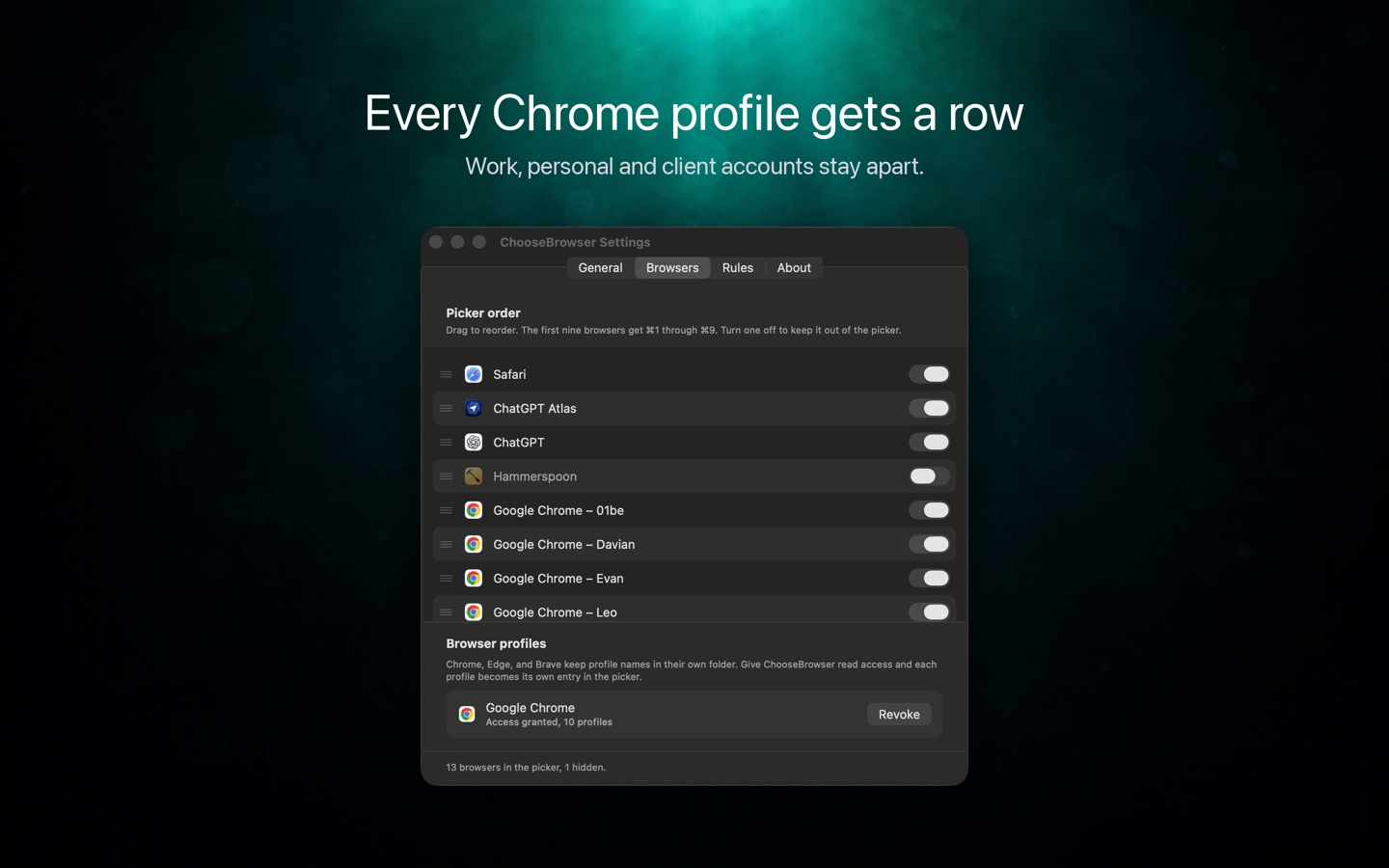
belongs to which. ChooseBrowser keeps that knowledge: a macOS link router with a row
for every profile and rules that can match a path. With it installed, chrome-use open picks the
right profile by itself, and an agent never works in the wrong account again.
Every link asks first
Set it as your default browser once. From then on, a link clicked in Mail, Messages, Slack or any other app
opens a compact picker listing every browser on your Mac and every Chrome profile. Click one, or press
⌘1–⌘9, and the link opens there.
Press ⌥↵ to teach it once: that site always opens in the browser you chose. Rules can be reviewed
or removed any time.
Why a chrome-use user wants it
chrome-use drives your real, logged-in Chrome. With several profiles, "which one" used to be something you
said with --browser on every command, and a wrong guess put the agent in the wrong account.
With ChooseBrowser installed, that decision becomes a rule you wrote once:
$ chrome-use open https://github.com/my-org/repo
profile: Davian (Profile 14, …) — a ChooseBrowser rule routes this site there
  (github.com|/my-org*). Override with --browser <id|email>, or skip with --no-choosebrowser.

# the other way round: you named the profile this time, so write the rule back
$ chrome-use open https://github.com/my-org/repo --browser work@example.com --remember
· asked ChooseBrowser to route github.com to work@example.com from now on — confirm in its dialog.A rule is something you wrote down, so it is consulted before the "most recently focused window" guess. open says which rule it followed.
--remember proposes a rule; ChooseBrowser shows a dialog for you to confirm. Nothing is saved unless you do.
No rules file means no change in behaviour and no message. --no-choosebrowser skips it for one command.
chrome-use doctor reports which version is installed, whether the rules are readable, and for each rule whether its profile is connected. Needs ChooseBrowser 0.2.1 or later.
When a rule's profile is not connected, or the session is bound to another profile, the command fails and names the fix (connect --browser, a new --session, or --no-choosebrowser) instead of quietly opening the site in a different profile.
A good browser picker on its own
After a one-time local setup, each profile in Chrome, Edge, Brave, Vivaldi or Chromium is its own entry in the picker. Work, personal and client accounts stay apart.
Rules match the path, not just the domain. github.com/my-org goes to the work profile; the rest of GitHub to the personal one.
Keep choosing the same browser for a site and it moves to the front, with the reason shown. ⌘1–⌘9 opens instantly; ⌘C copies the link without opening anything.
Rules and preferences stay on your Mac. Optional sync to your other Macs goes through your own iCloud.
How it works
ChooseBrowser registers as a handler for http and https links. After you make it your default browser
(System Settings › Desktop & Dock › Default web browser), macOS sends every link to it first. It shows the
picker, hands the link to the browser you pick, and quits. An optional short countdown can open the obvious
choice for you; any key stops it. It lists every installed browser automatically, drag to set the order
(which also sets ⌘1–⌘9), and apps you never want links in can be hidden and brought back.
Pricing
Notarized .dmg, direct download. A Mac App Store version is in review. Requires macOS 26 or later.
ChooseBrowser and chrome-use are by the same author. chrome-use does not depend on it: without it, everything works as before.